ENG40011 Engineering Technology Innovation Project, Swinburne University of Technology. Group project with Chenxi Liu, Sahil, Parav Sharma and Max Bruno.
My role
I was the team’s biomedical engineer, working alongside software and electrical engineering students. I identified which physiological signals we should measure and what they needed to be calibrated against, advised on practical details such as where the heart rate sensor should sit to give a reliable reading, and reviewed the code to check it measured what we intended. I also wrote the report.
The problem
Fatigue in mining, transport, construction and offshore work causes serious injuries and deaths. Severe fatigue impairs reaction time and decision-making in ways comparable to alcohol. Yet Australian rules mostly govern shift schedules, not a worker’s actual state: someone can complete a mandated rest break and still return to site dangerously tired.
Commercial systems exist, but they typically cost thousands of dollars per unit and depend on cloud connectivity, which rules them out underground or offshore.
What we built
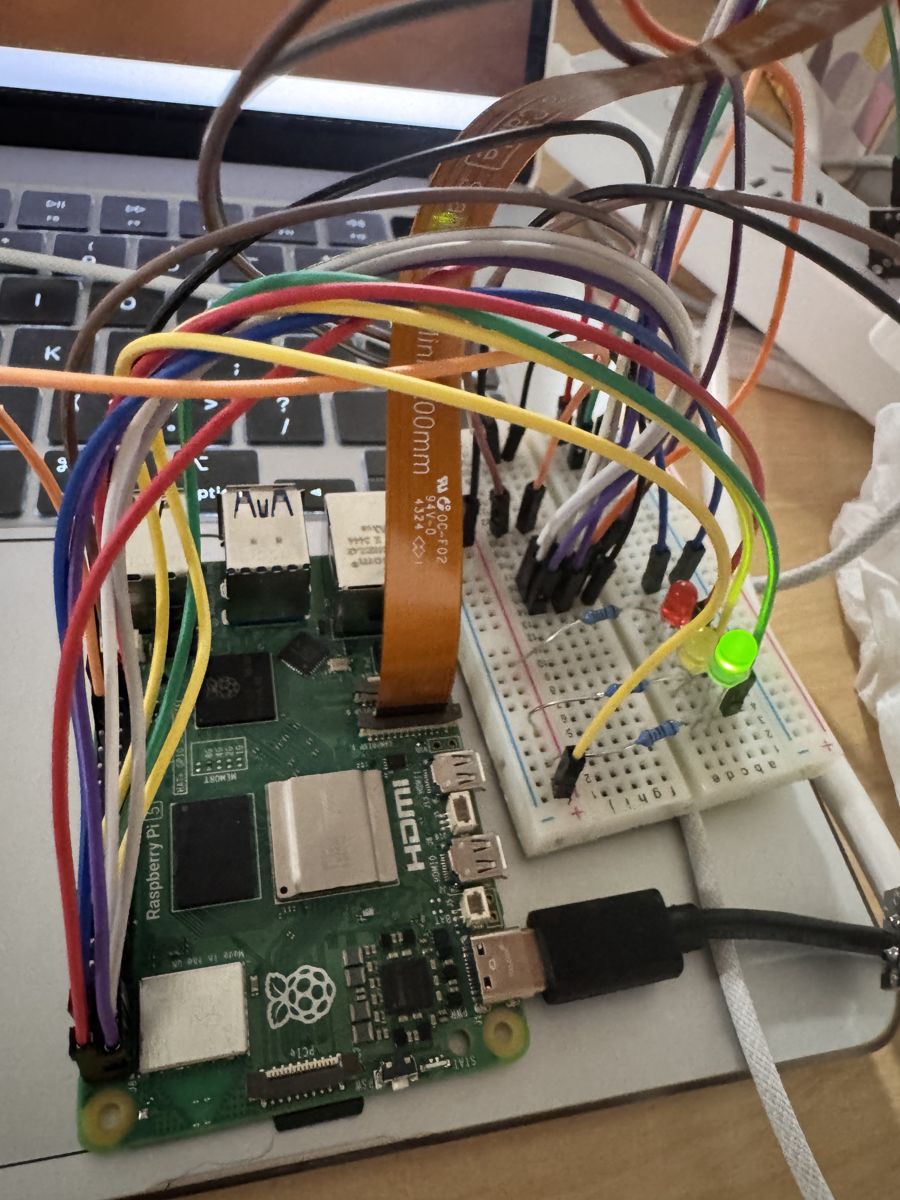
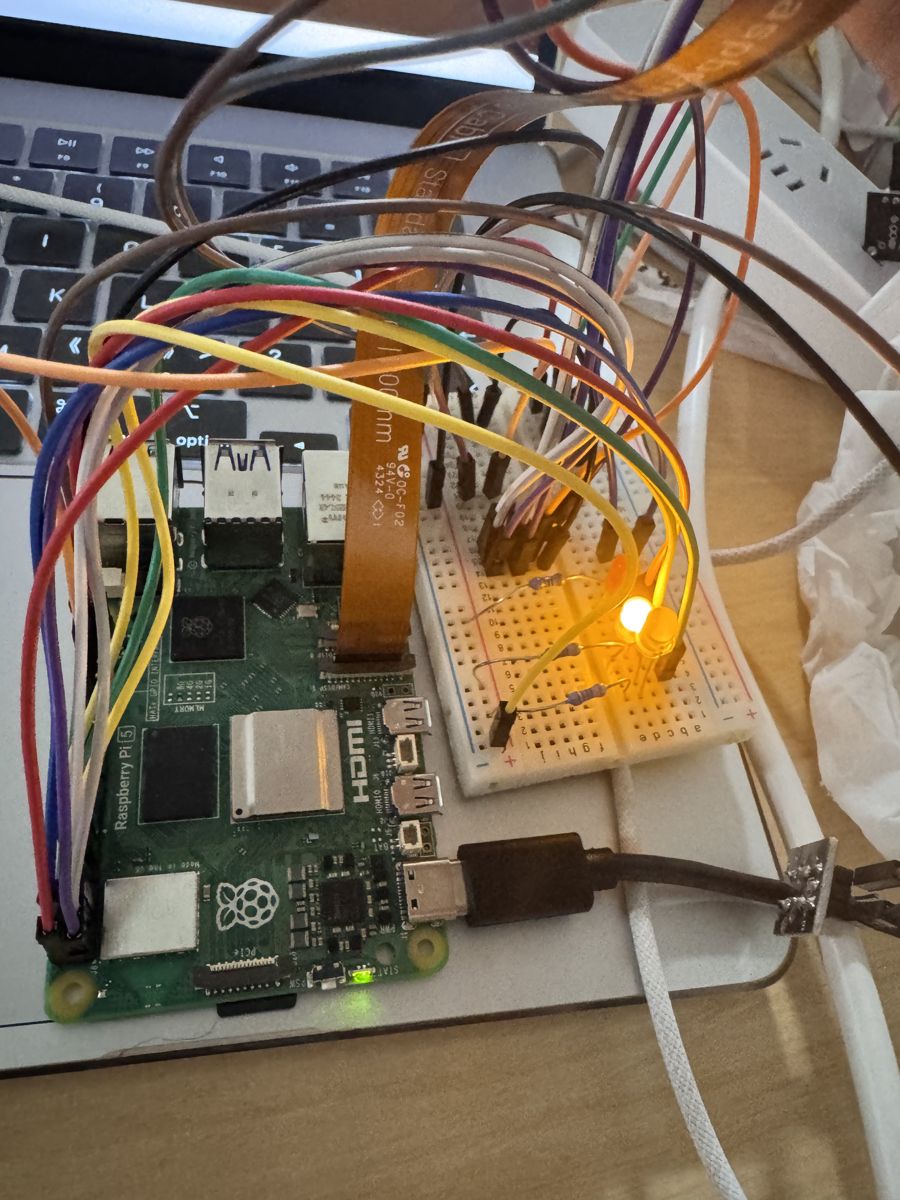
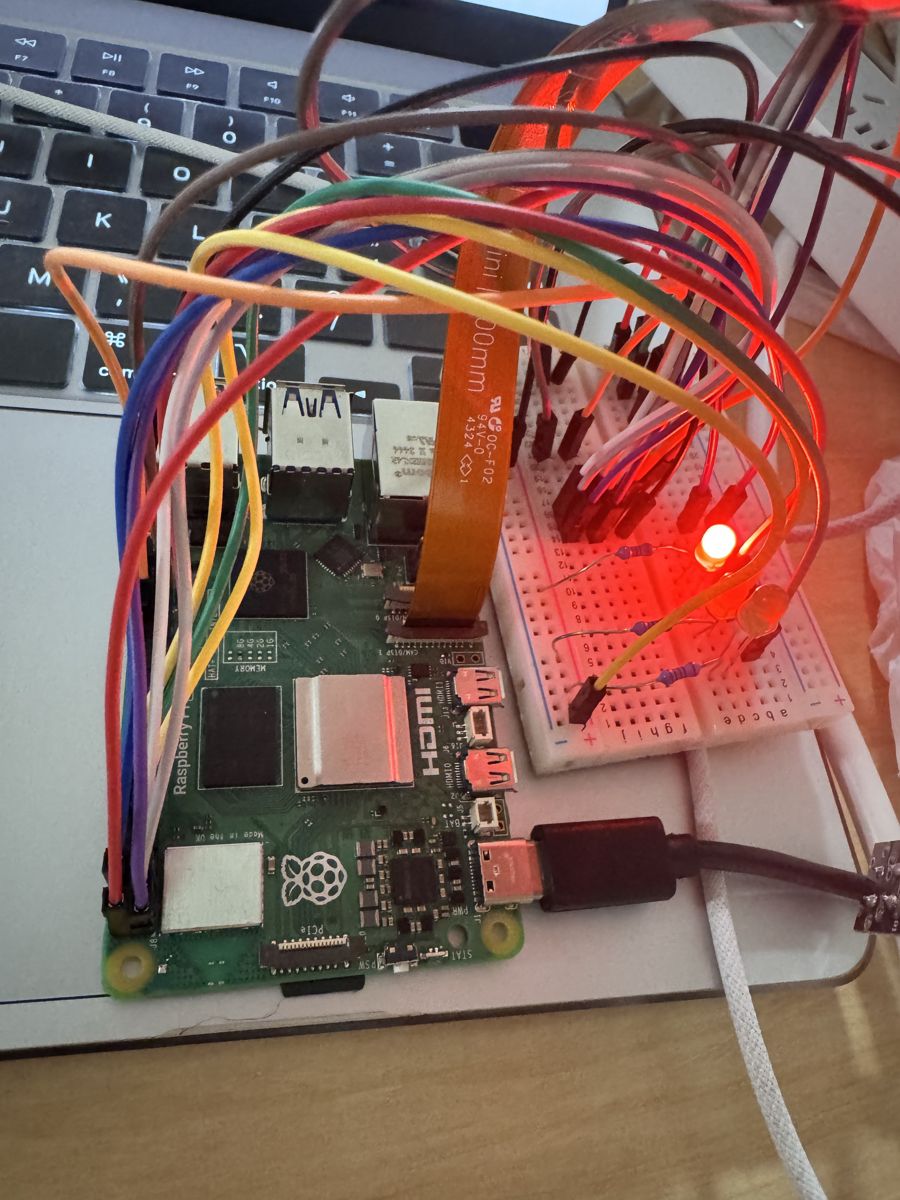
A prototype on a Raspberry Pi 5 that runs entirely offline and combines three independent sensing methods:
- Eye tracking with a camera and OpenCV, which detects sustained eye closure while ignoring normal blinks.
- Heart rate from a MAX30102 optical sensor, cleaned up with a band-pass filter and peak detection.
- Head tilt from an MPU6050 motion sensor, which flags a head that has dropped and stayed down.
How the alerts escalate
Rather than alarming on a single reading, the system escalates in stages, which reduces false alarms:
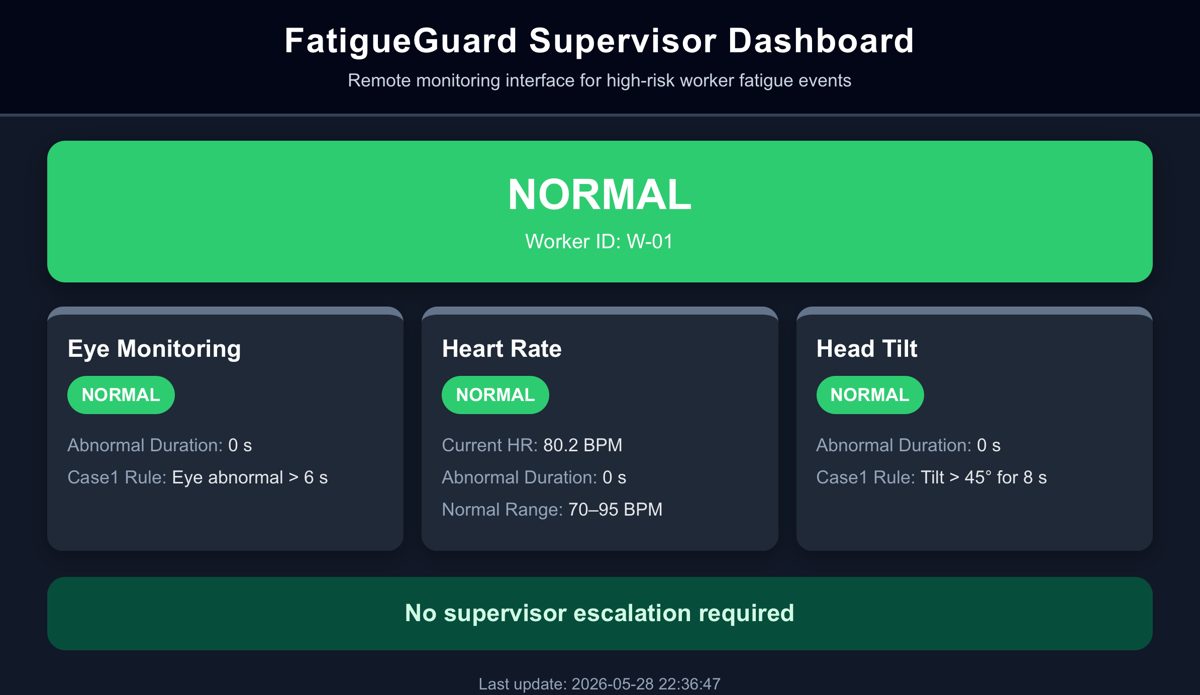
- Normal: all sensors within range.
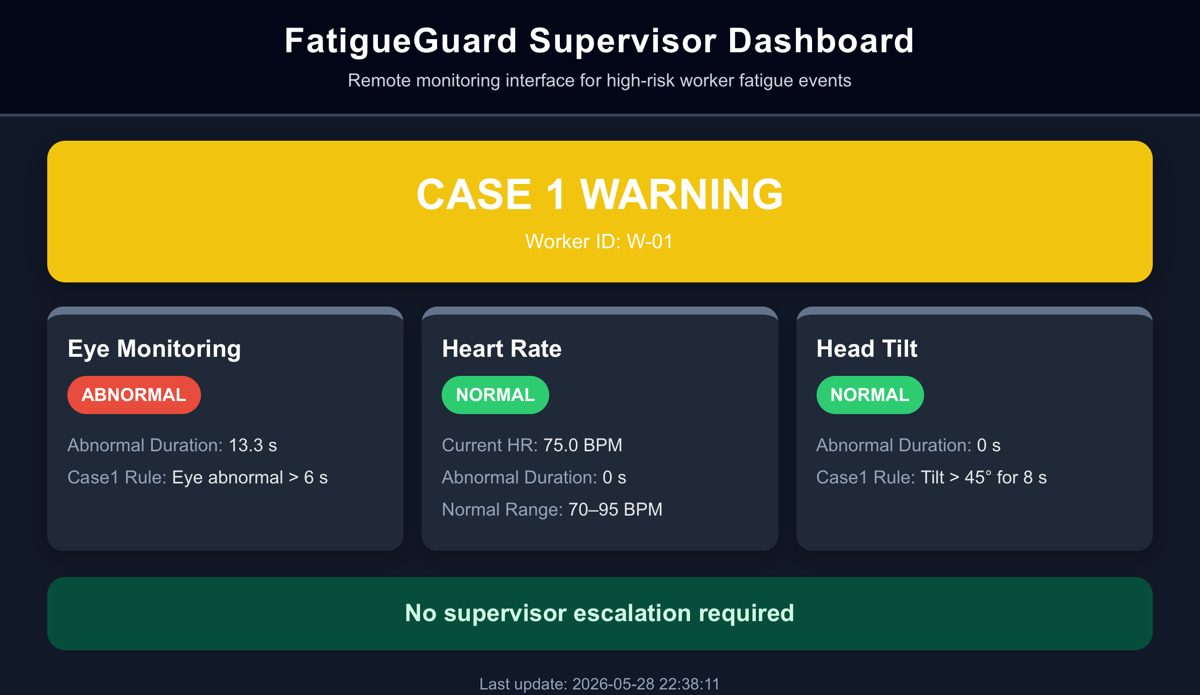
- Case 1 warning: eyes closed for 6 seconds, or head tilted beyond 45° for 8 seconds.
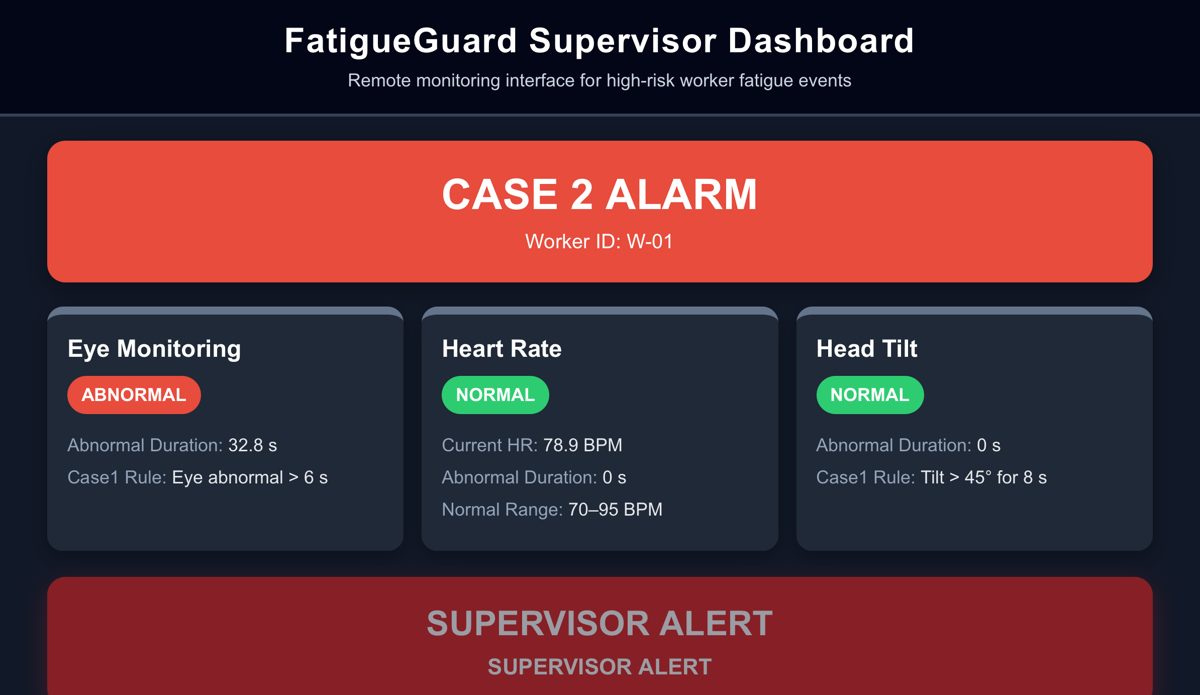
- Case 2 alarm: a warning that persists for 10 seconds, or an abnormal heart rate combined with eye closure. Requiring two signals to agree makes this path much less prone to false alarms than any single sensor.
- Supervisor alert: if the worker doesn’t press the acknowledgement button within 10 seconds, the system assumes they may be unable to respond and alerts a supervisor.
A Flask web dashboard shows each worker’s status live on any device on the local network, with no app to install.
Results
- All six functional tests passed, covering each sensor, both escalation paths, and the acknowledgement and supervisor alert.
- Alerts fired within about a second of each threshold being reached, well inside the 30-second specification.
- Heart rate was within 2.8 BPM on average of a reference pulse oximeter while stationary.
- No false warnings from 47 normal blinks during a 5-minute test.
- Parts cost about AUD 280, against a target retail price under AUD 500.
Limitations and next steps
Testing showed where the prototype would need to improve for real worksites:
- Motion affects heart rate readings. Physical work introduces noise the filter can’t fully remove, so adaptive motion-artefact rejection is needed.
- Eye detection struggles in dim light, dropping from about 95% to 70% of frames. A more robust face-tracking model would help.
- Mounting the camera on a helmet reduced detection reliability, because the camera cable was too short for a good viewing distance.
- Very large and different places to put the detectors.
We also assessed patents held by existing products, the relevant Australian workplace safety standards, and the business case. The device is classed as workplace safety equipment rather than a medical device, which shortens its regulatory pathway considerably.
What I learned
The biggest lesson was to let people work to their strengths. With less Python experience than my teammates, I let the software and electrical engineers build most of the system, while I focused on what I could contribute best: knowing what the device should measure and why. To guide them well, I needed to understand how they were implementing each part, so I learned to read and check their code even where I didn’t write it. That let me give specific, useful feedback, such as on sensor placement, instead of general suggestions.